
Appearance
Managing Users
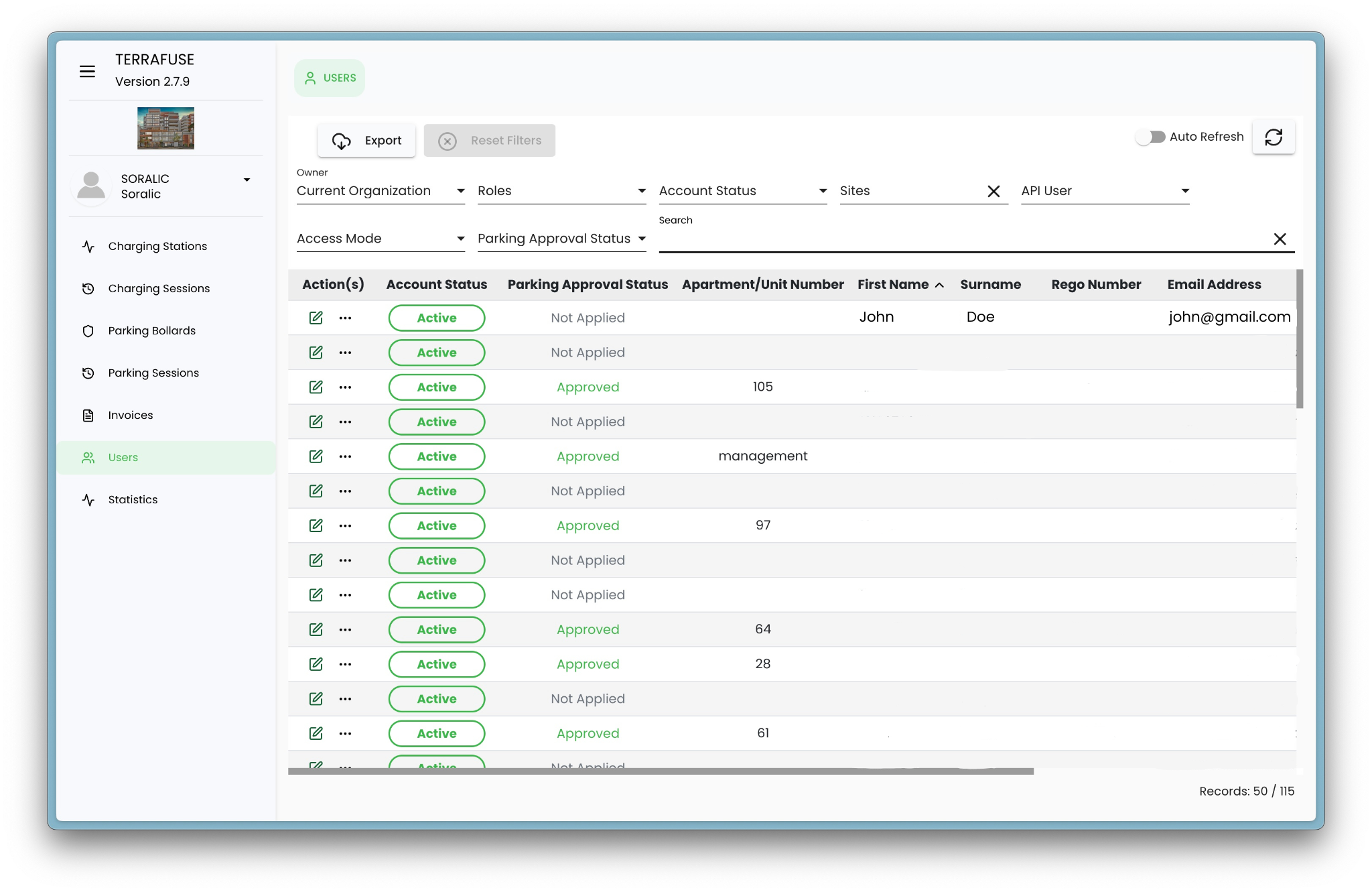
Managers can manage user access and details via the Users section in the side menu, shown in Figure 5.1.1. Upon clicking, the Users Page will display a comprehensive list of registered users along with key information and actions.
User Table Overview
| Field | Description |
|---|---|
| Action(s) | Available actions such as Edit, Assign to Site, and Delete |
| Status | Indicates if the user is Active or Inactive |
| Allowance Status | Status of allowance application: Not Applied, Pending, Approved |
| Apartment/Unit Number | Apartment or Unit Number of the User |
| First Name | First name of the user |
| Surname | Surname of the user |
| Rego Number | Registration Number of the Vehicle |
| Registered email address of user | |
| Remaining Allowance. | Remaining parking allowance (in hours) |
Important
Strata Managers cannot add a tenant as a user in the dashboard. Users are automatically added to the system when they sign up using the TerraFuse app. Strata Managers can only oversee the user details, and update an existing user if needed.
Updating a User
When editing a user, the following sections can be configured:
Personal Information
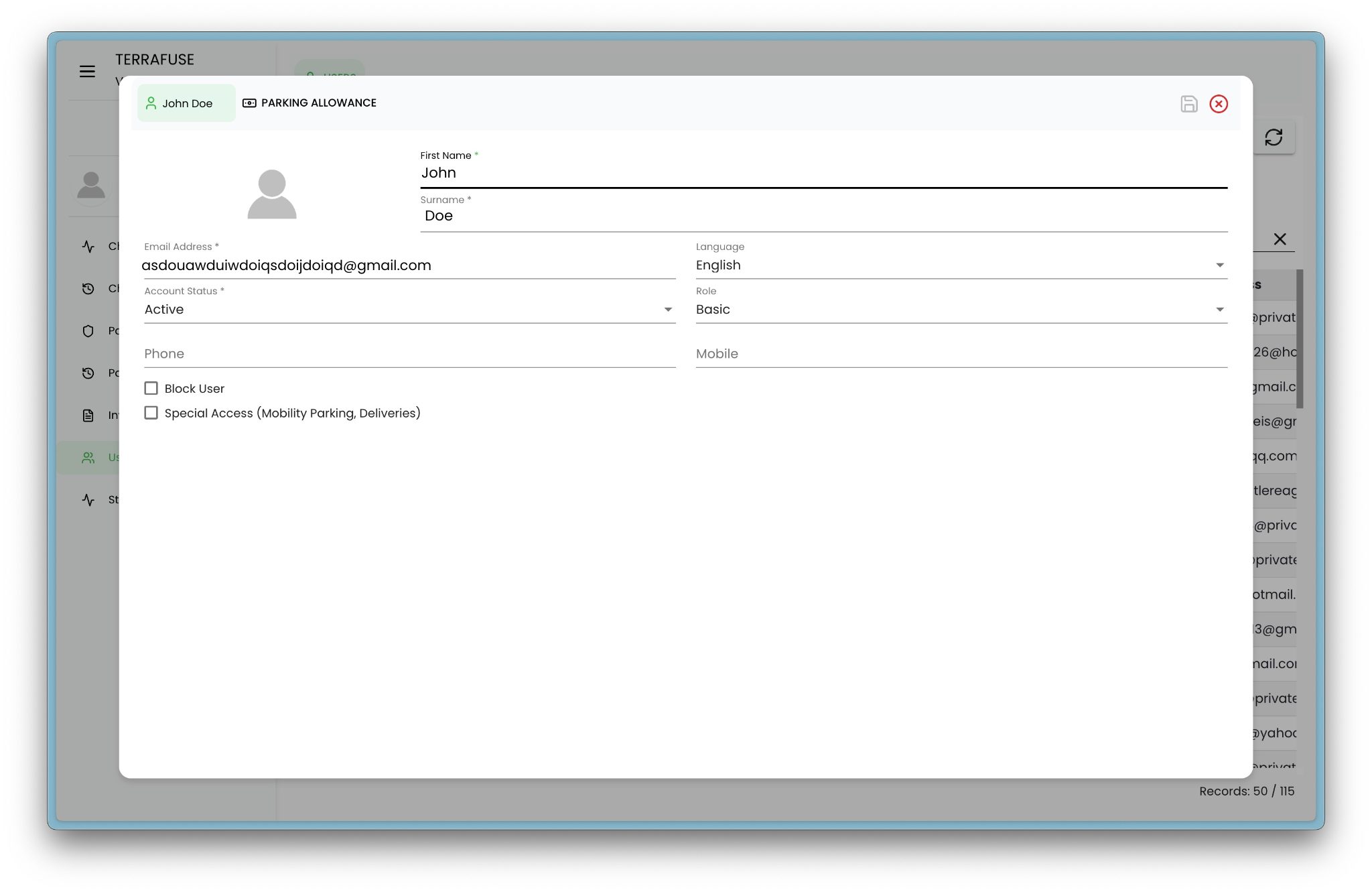
As shown in Figure 5.1.2, Personal information includes first name, surname, email, language, status, role, phone, mobile number. Toggle options are available to mark the user as Blocked or having Mobility parking (Mobility Parking, Deliveries).
Allowance
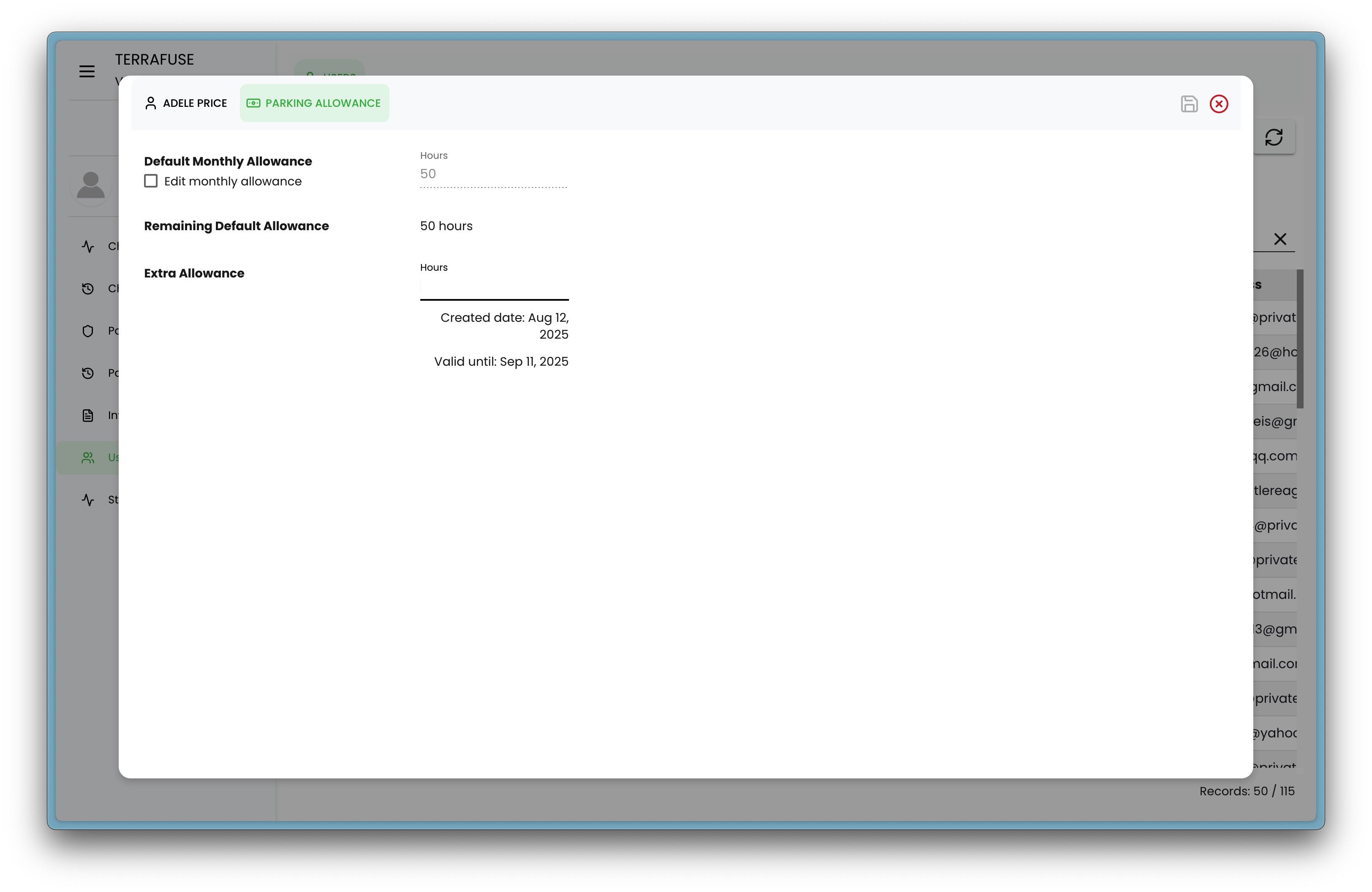
- Set a default monthly allowance. By clicking on the toggle option for Edit monthly allowance, this default allowance can be overridden for the specific user.
- Add extra temporary allowance valid for one month — useful for scenarios like hosting a party or special events requiring additional visitor parking.
Searching & Filtering
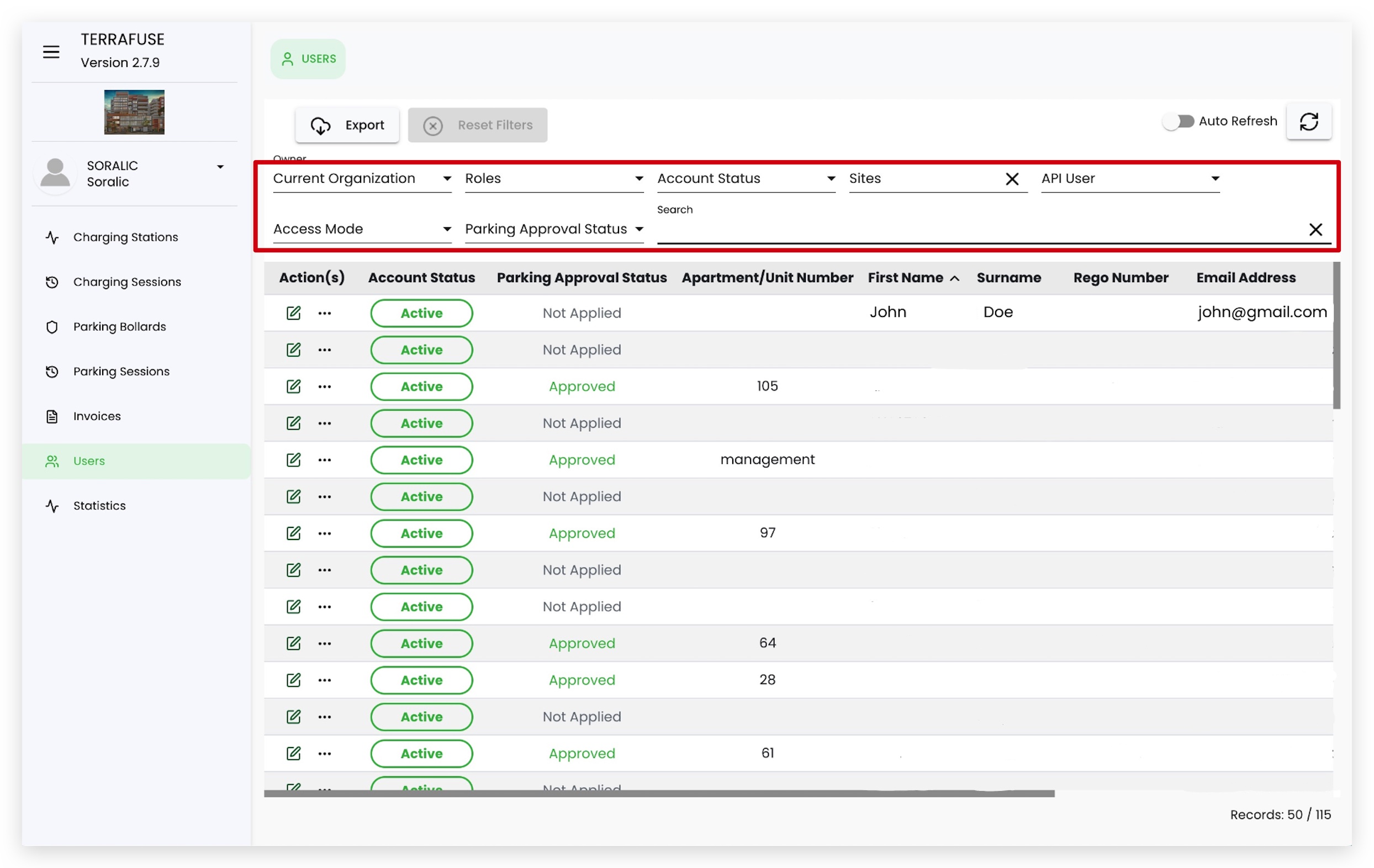
The search bar allows you to quickly find users by name or other attributes (Figure 5.1.4). Advanced filtering options include:
- Organization
- Role
- Account Status
- Sites
- Access Mode
- Parking Approval status