
Appearance
Managing Charging Duration
On the Charging Station page, you can click on the Charging Duration tab to set how long residents are allowed to use a charger.
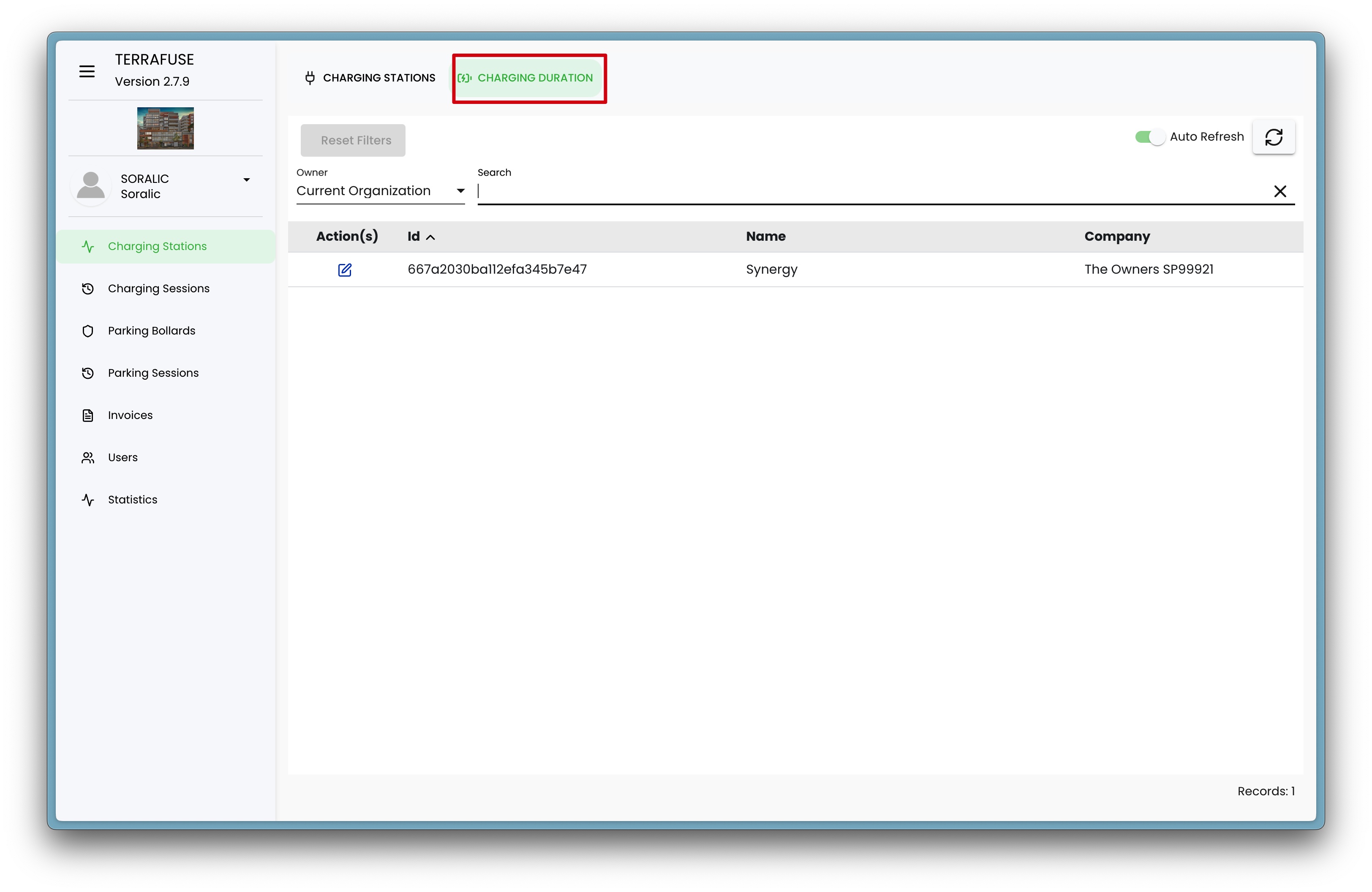
How to Manage Charging Duration
When you click on the Charging Duration tab, you’ll see charging stations that you can set the duration of. These are the durations that residents can choose from when starting a charging session. Click on the Edit button as shown in Figure 4.2.2 to open the tab in Figure 4.2.3.
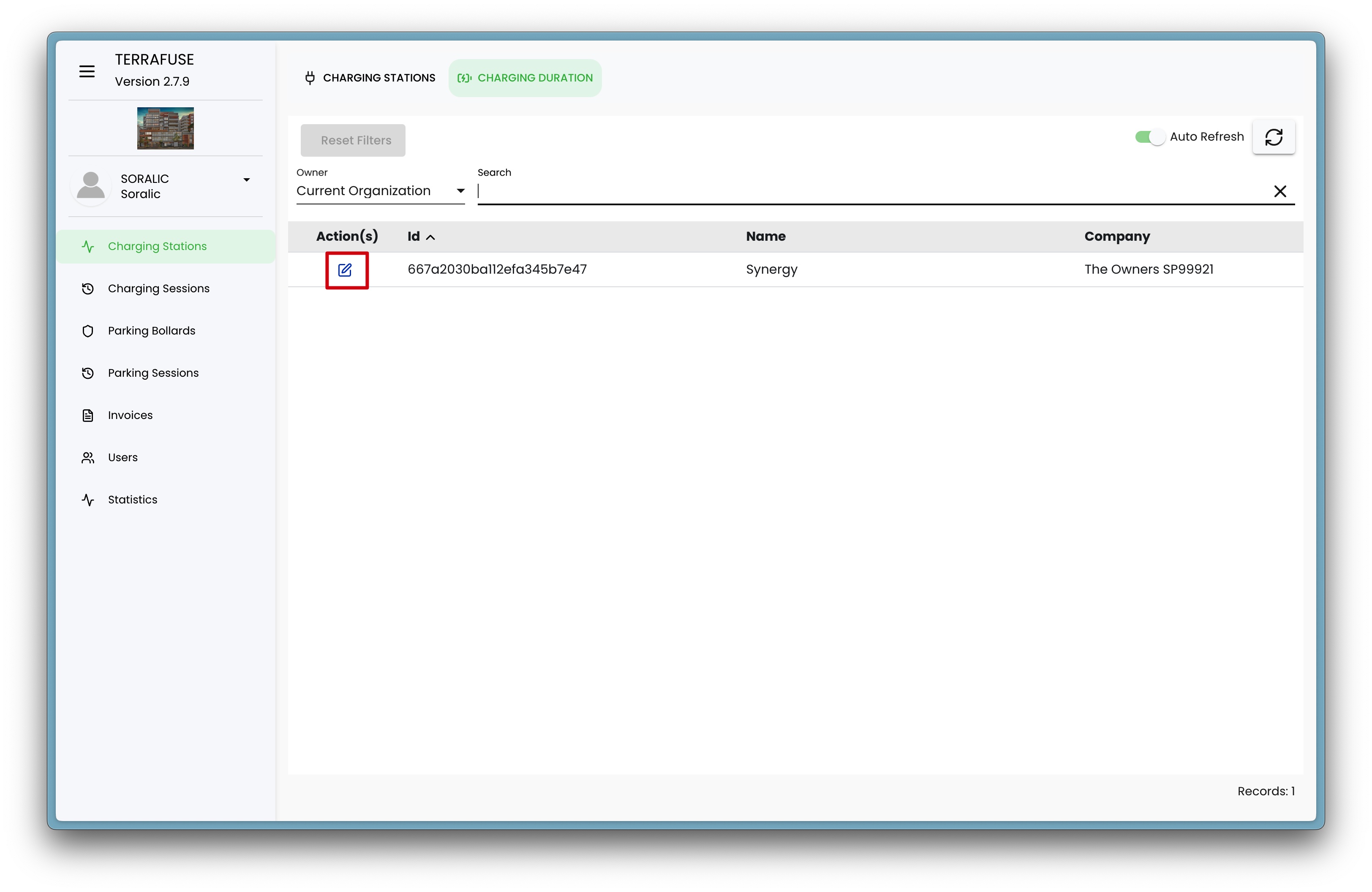
You can:
- Turn on or off specific time options
- Edit the hours allowed for overnight charging (if overnight charging is enabled)
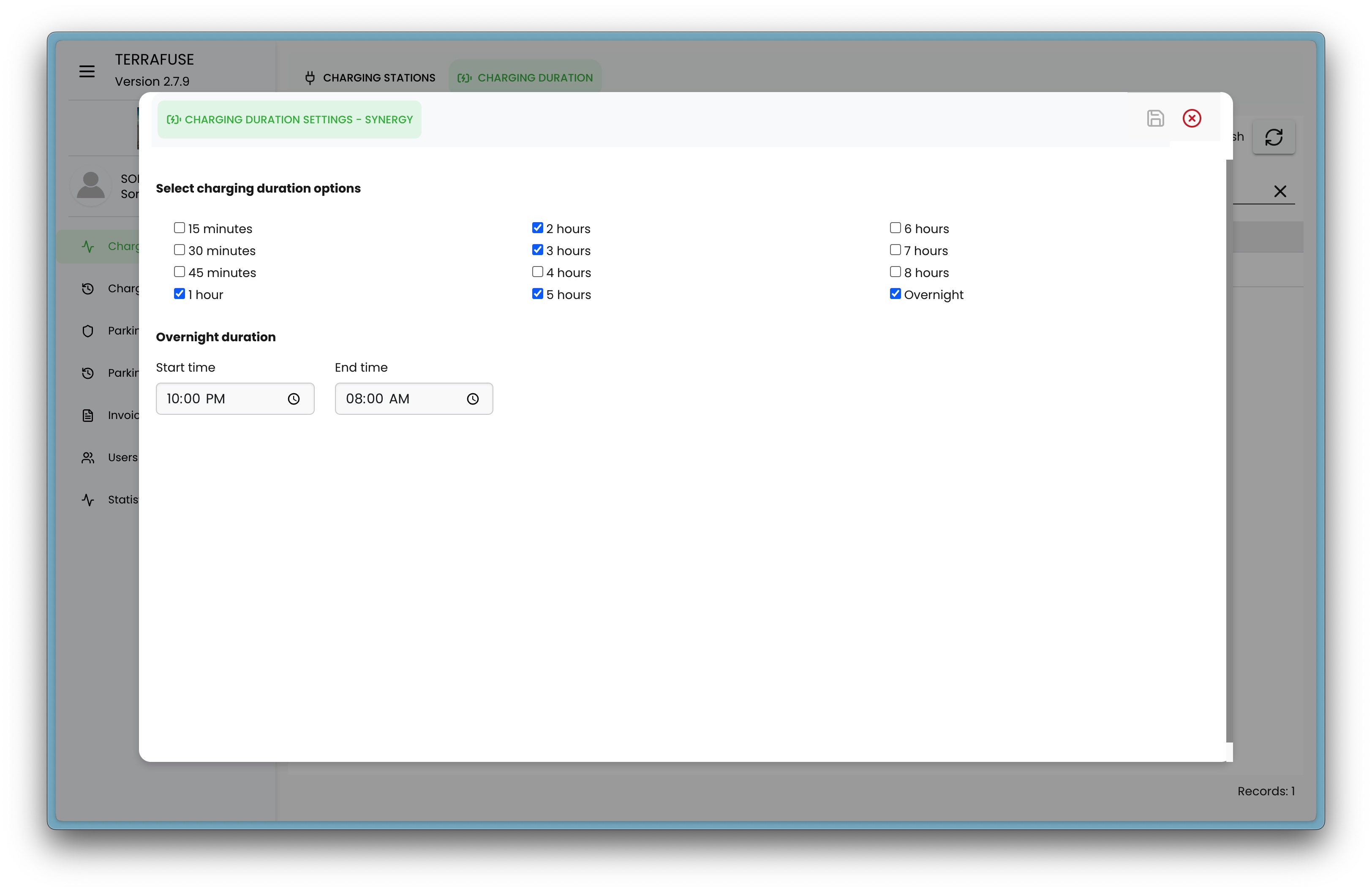
Available Charging Time Options
You can choose to show or hide any of the following durations for residents:
- 15 minutes
- 30 minutes
- 45 minutes
- 1 hour
- 2 hours
- 3 hours
- 4 hours
- 5 hours
- 6 hours
- 7 hours
- 8 hours
- Overnight
Overnight Charging
If you turn on the Overnight option, you’ll also see a setting to edit the number of hours allowed for overnight charging.
⚡ Tip:
Turning off a duration means residents will not see that option when starting their charging session.